- URL: https://www.laruence.com/en/2026/08/17/6297.html
- Please include attribution when republishing.
A few days ago I wrote about building a personal AI assistant with Obsidian, Claudian and Claude Code: Building a personal AI assistant with Obsidian + Claudian + Ds (Chinese)
Once you start using it, you'll keep unlocking new scenarios and handing the AI more and more work. As the tasks you delegate grow heavier, I'm sure you'll run into problems like these:
Can't tear yourself away
Agents can do more and more, but finishing a task also takes longer and longer — from a few minutes, to half an hour, to over an hour. You assign a job, it sinks into thought after thought and never seems to finish, so you decide not to wait and go do something else. But while your body moves on, your mind stays behind: every few minutes you can't help switching back for a peek. How far along is it? Any errors? You're distracted, and the work in front of you suffers for it.

Worse still: you finally step away for a while, come back — and the Agent stopped twenty minutes ago. It hit a fork in the road, asked a question, and has been waiting for your reply ever since. Tens of minutes, gone.
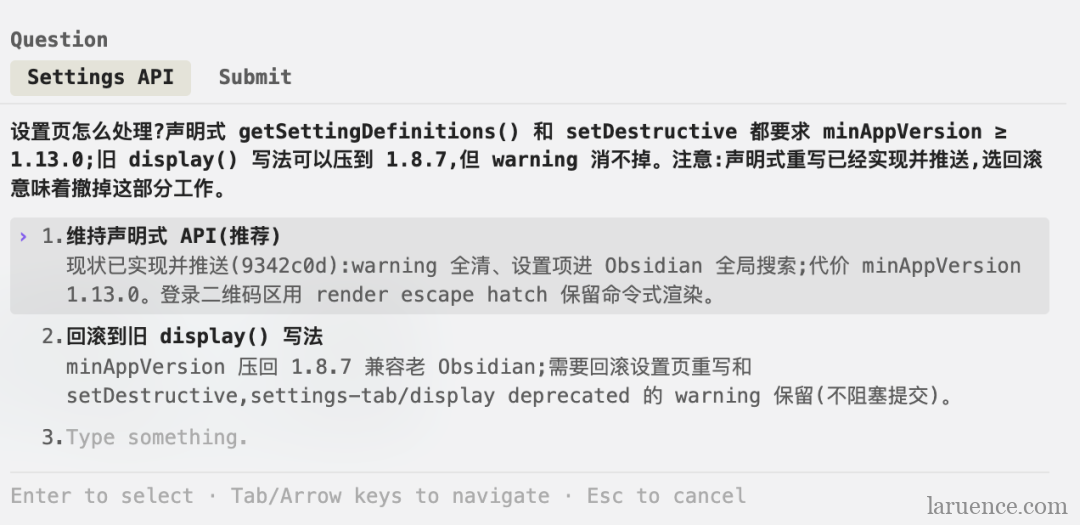
So you wonder: could it reach out to you proactively when the task is done — or when it needs you?
Archiving WeChat articles
You see a great article on WeChat and want it in your knowledge base. Shopping around for tools, you find the mainstream approach is forwarding the article to some mini program or cloud service, whose servers parse it and hand it back — like the WeChat Obsync plugin I mentioned in my previous post.
Setting aside that the mini-program route is clunkier to operate, the real issue is the third-party relay. Every piece of content you save must first pass through someone else's hands. Did they look at what they shouldn't? Did they keep a copy, and for how long? You have zero control — it always feels like being watched.
So you wonder: is there a way to sync WeChat content without a third party in the middle?
Wechatian
What troubles you troubled me too. I tried iMessage, email, even a push service on my own server — all fiddly, none of them natural. After all, for us in China the app we live in is WeChat. So I had my AI build an Obsidian plugin: Wechatian, so the Agent can always reach us first thing.
Wechatian is an Obsidian plugin, inspired by CC Connect and built by my AI in about 4 hours (I didn't use CC Connect directly because it's heavyweight and can't plug into the Obsidian ecosystem). Its main function in one sentence: turn WeChat into a two-way channel between your AI Agent and your knowledge base.
- Receive: send text, images or article links from WeChat — they land in your knowledge base automatically
- Send: when the AI Agent wants you, it drops a message into a folder and your WeChat pings
Architecture: two endpoints, no middleman
WeChat <—> Tencent ilink AI Gateway <—> Wechatian <—> Your knowledge base
The chain has exactly two endpoints: WeChat's official gateway, and your local Obsidian. A few key design decisions:
1. It rides Tencent's official ilink AI bot gateway
No unofficial protocol hacks, no self-hosted relay server. The plugin talks to WeChat's official gateway directly via long polling.
2. Message content lives only in your own knowledge base
Received text, images and article bodies are all written into your vault as markdown and files, never routed through any third-party service. That's the essential difference from "mini-program relay" clipping tools — the entrance to your knowledge base no longer passes through other people's hands.
3. Sending works through a file outbox
The plugin exposes no API at all. To send a WeChat message, write a file into <Wechatian>/outbox/:
- Write a
.mdfile and its content goes out as a text message (markdown supported — headings, lists, bold, code blocks all work) - Drop in an image, a video or a document (≤100MB) and it's sent as an attachment
The plugin polls the outbox every 30 seconds, picks up files, encrypts and delivers them over WeChat.
This design brings a bonus: any program that can write a file can send you WeChat messages — shell scripts, Python, any AI Agent. No SDK, no integration, zero onboarding cost.
4. The Agent protocol is self-describing
The plugin maintains an Agent.md in the inbox directory, documenting the current directory structure and the send/receive protocol. You don't need to teach your AI assistant anything — point it at this file and it figures out on its own how to message you on WeChat and how to read your replies.
5. QR-code binding — it only listens to you
After scanning the QR code to log in, the plugin only accepts messages from the bound account. Even if the bot's ID leaks, nobody else can write anything into your vault.
Feature list
Receiving
- Long-polling real-time message receipt, written into daily conversation notes — one
<date>.mdper day, both directions logged in time order, a readable two-way transcript in itself - Images, files, videos and voice messages are downloaded and decrypted into
attachments/automatically - Article links in messages are auto-clipped: body converted to markdown, all inline images downloaded locally, saved as an article note, with only the title link left in the conversation note
Sending
- Text messages, files, images, videos, Official Account articles
- Every send is logged; failures come with a reason
What it looks like in practice
The three scenarios I've used most these past few days:
Article clipping. See a good article on WeChat, copy the link, send it straight to the bot. Seconds later your knowledge base has a full-text markdown note with all images localized. Note: don't use forwarding — the gateway can't receive forwarded articles or files; send the original link instead.
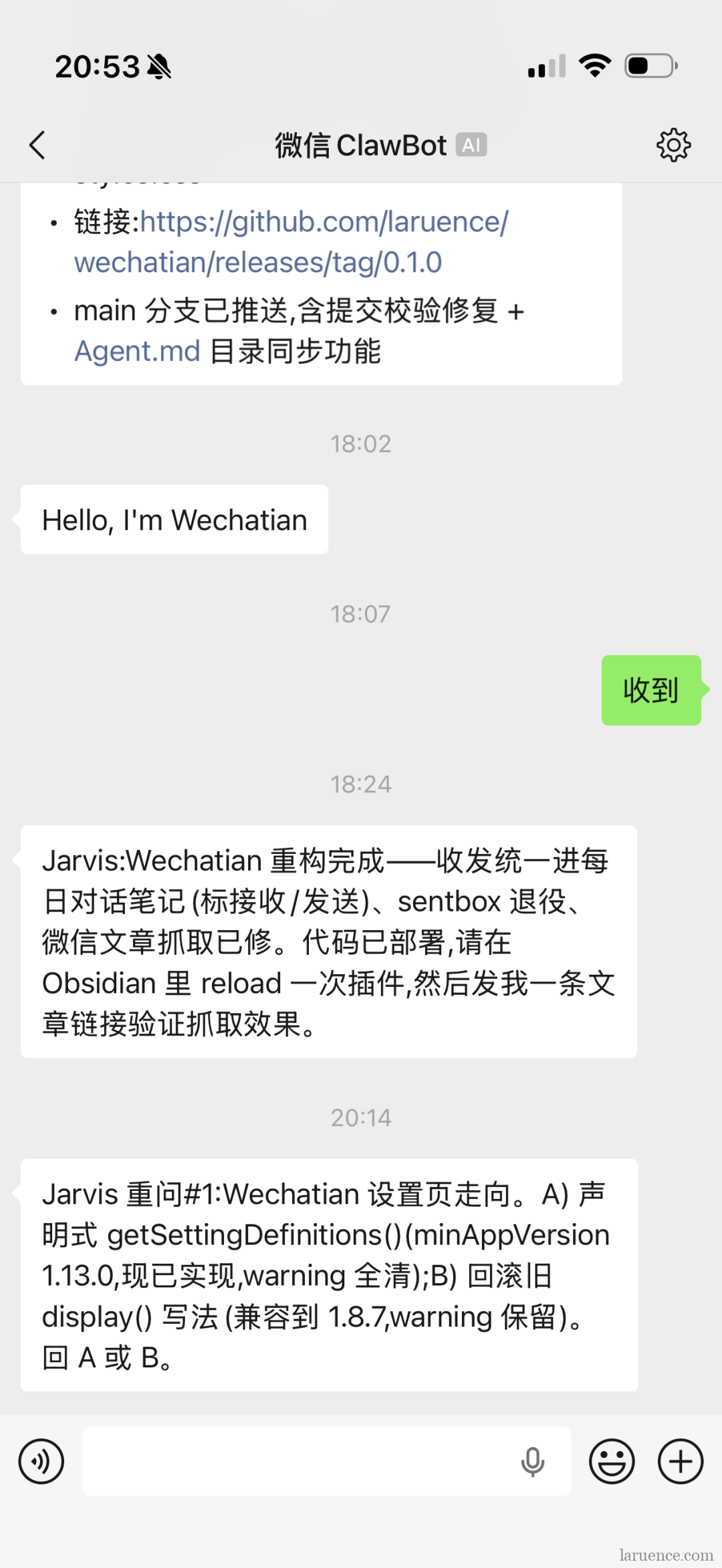
Remote-controlling the Agent. Before heading out, tell the Agent to watch for WeChat messages. Now you're outside, a new idea strikes, and you text the bot: "Check yar_compact — does it really need to detach? WeChat me the result when done." The Agent at home picks it up and starts working, then sends the outcome back over WeChat. WeChat becomes the Agent's remote control.
Long-task notifications. The Agent runs a time-consuming task and you have other things to do, so you tell her: "If anything goes wrong, or when you're done, WeChat me." When she finishes, she writes "Build complete, 0 errors" into the outbox and your WeChat pings seconds later. No more babysitting the screen — and no more missing it stuck on a question waiting for you; when it's stuck, it comes to you.
Installation and usage
The laziest way: hand this sentence to your AI assistant and it will install everything for you:
Go to https://github.com/laruence/wechatian and follow the instructions there to install the Wechatian plugin into my Obsidian.
It downloads the plugin, drops it into the plugins directory and walks you through the whole setup.
To install manually: in Obsidian go to Settings → Community plugins, search for "wechatian" and click Install. Or download it yourself — first find Wechatian on GitHub:
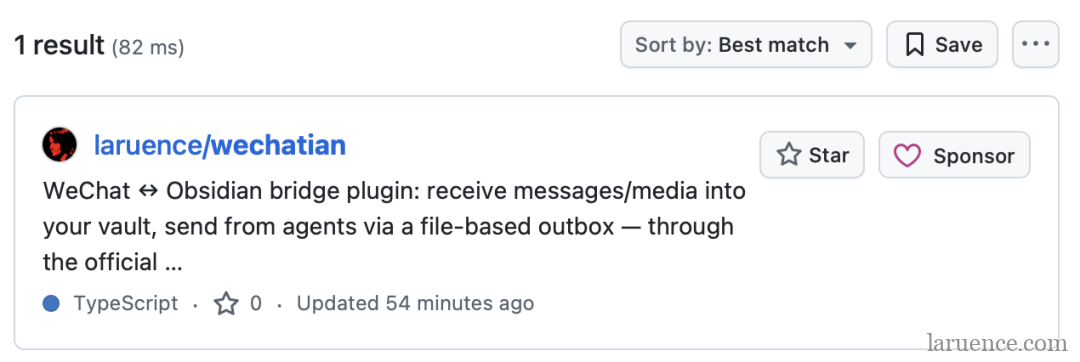
Then:
- Download the latest Release from the Wechatian repo on GitHub; it contains the three main files:
main.js,manifest.jsonandstyles.css - Put the three files into
<your vault>/.obsidian/plugins/wechatian/ - Obsidian Settings → Community plugins → enable Wechatian
- Open the Wechatian settings page; the login QR code appears automatically:
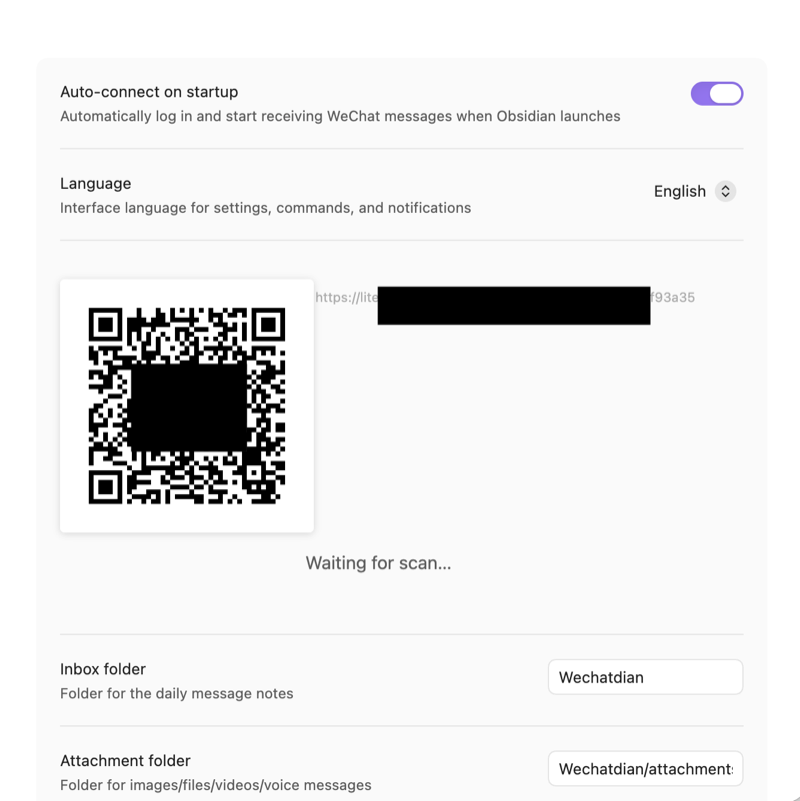 Figure 5: the login QR code popping up on Wechatian's settings page
 - Scan and confirm with WeChat, and a contact named "WeChat ClawBot" appears. You can rename it and change its avatar — I renamed mine to Jarvis 😂 After confirming, the plugin shows logged-in and starts receiving messages:
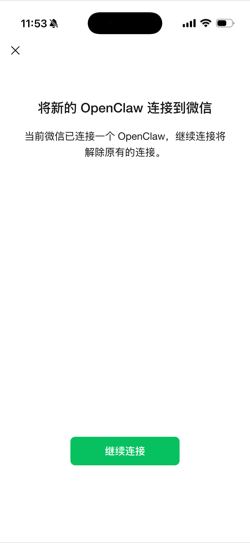
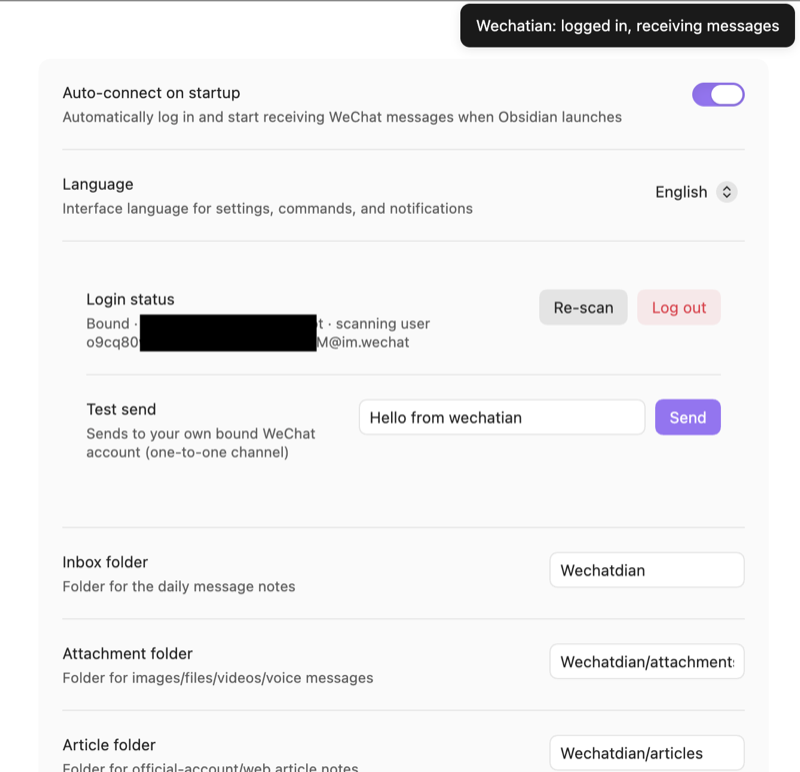 Figure 6: scanning to confirm on the phone (left); desktop shows logged-in and receiving (right)
 - Send the bot any message from WeChat first — gateway rule: the bound account must message the bot once before send credentials are issued. Clicking Test Send before that fails with "no send credentials yet". Send the bot a "hello" from WeChat; the moment the desktop receives it, the send direction unlocks too:
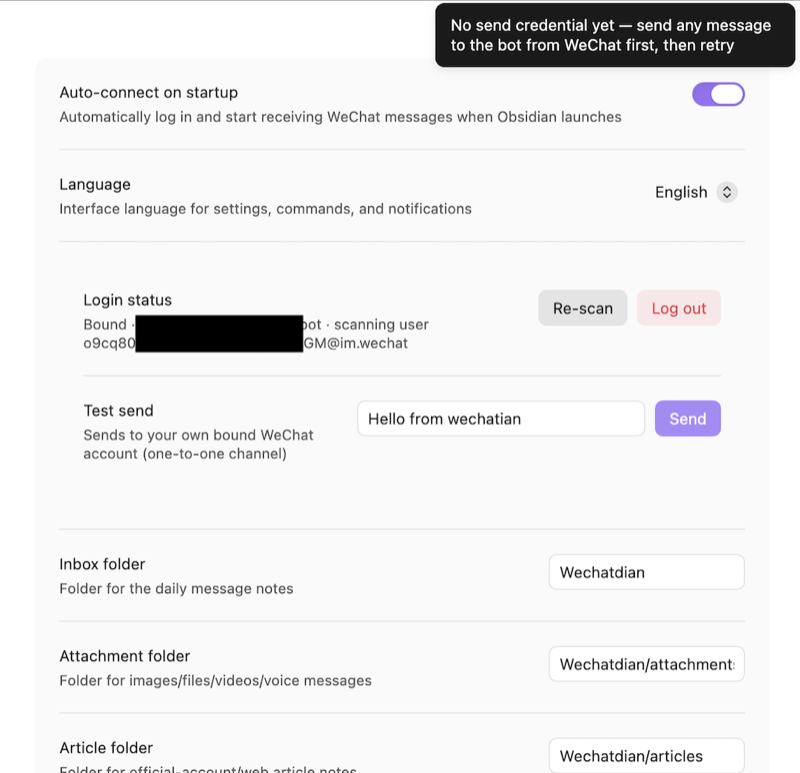
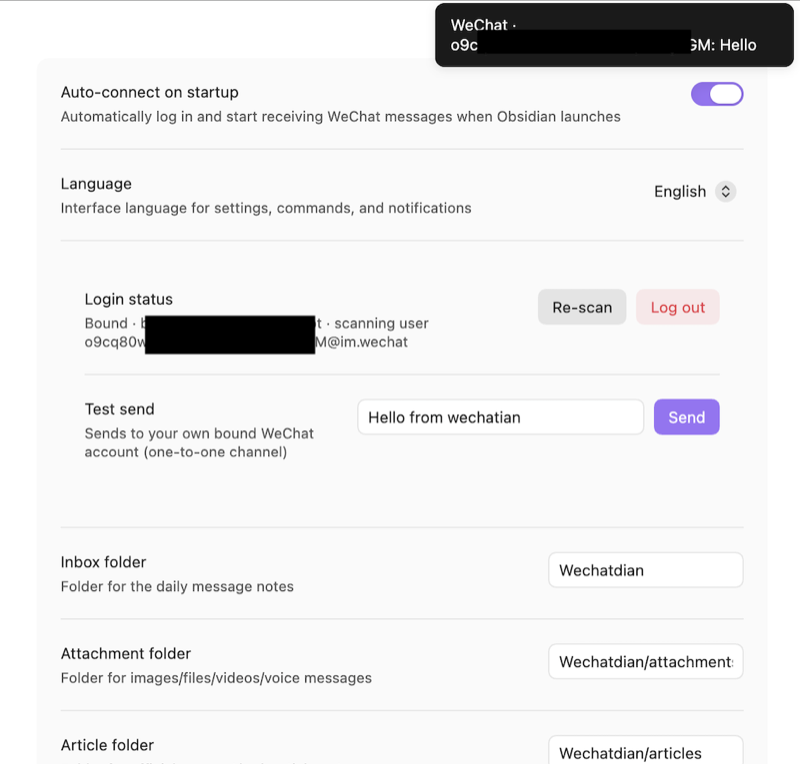 Figure 7: send credentials not yet issued (left); after receiving "hello", sending unlocks (right)
Back on the settings page, click Test Send: the desktop reports success and your phone receives the bot's reply — the two-way channel is live:
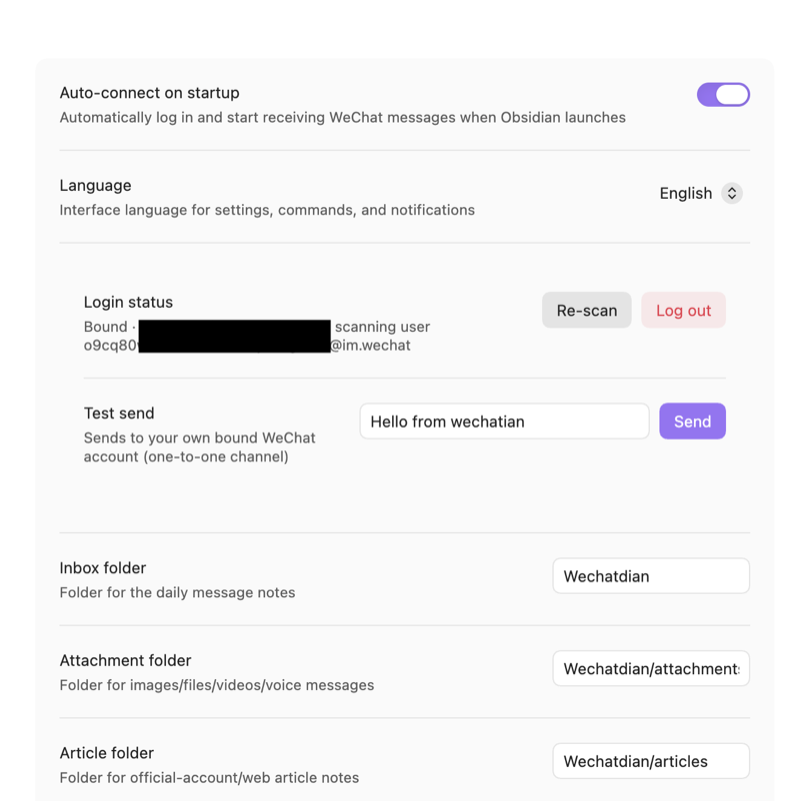
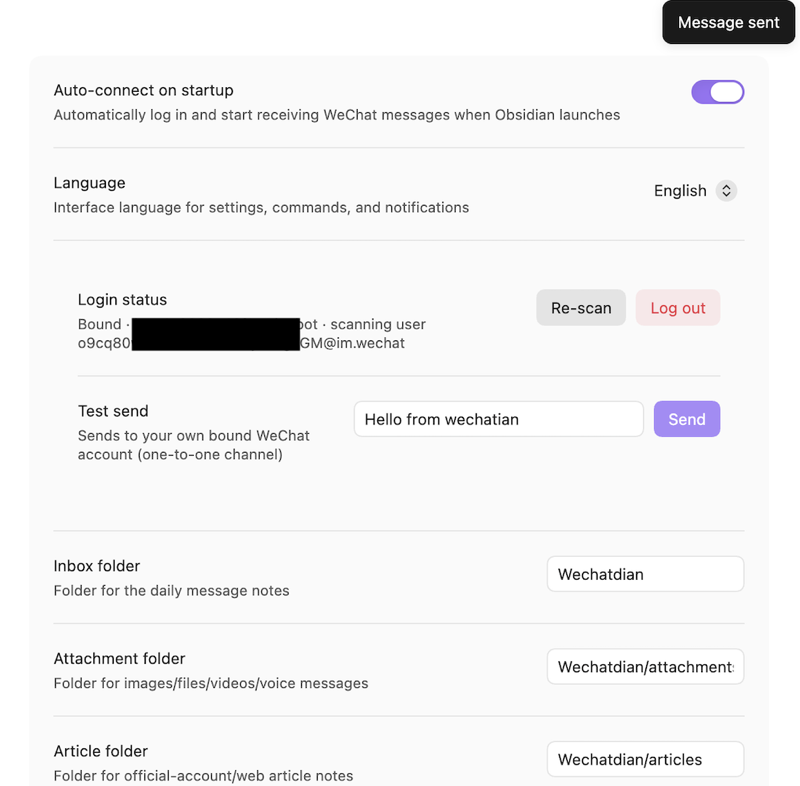
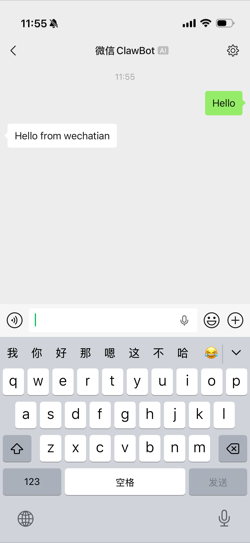
If your WeChat got the message — congratulations, you're done!
Going further: have your AI Agent read Agent.md in the Wechatian directory, and from then on you can just tell it "WeChat me when you're done" or "send me the xxx file on WeChat".
A few notes:
- Desktop Obsidian 1.13.0+ only (long-polling mechanism; mobile not supported yet)
- WeChat bots can't receive casual forwards like a contact would, so for articles copy and send the link; images and files must be stored locally, or favorited and sent through the file channel
- Keep only one device online per WeChat account — multiple pollers will fight over messages
- The gateway rate-limits proactive sends. This channel suits notifications and decisions, not chit-chat
- Computer offline is fine — messages sent to the bot while you're away are held by the gateway and back-filled the next time you open Obsidian (retention period unspecified; very old messages not guaranteed)
And if you're not an Obsidian + Claudian user, you can still have your Agent study Wechatian and build its own "Wechatian" that runs inside your setup. Enjoy!
GitHub repository: https://github.com/laruence/wechatian
Note: this post was synced from the WeChat Official Account "风雪之隅" to this blog by Jarvis (the author's AI assistant).
 Read the original (Chinese) on my WeChat channel: 《Wechatian: 让AI有事就来微信找你》
Be First to Comment